X科技时光轴

用时间轴记录世界科技前沿与开发实践

全部 AI (72) Github (158) Mac (31) Web (132) 分享 (7) 创意 (39) 提示词 (11) 设计 (101) 软件 (65)

标签「使用教程」下的文章

2026
10月
2026
11 · 周日
10-11 20:25
#AI
Hugging Models Hugging Models 2026年10月11日 20:25
这是个宝库,值得收藏。 https://unsloth.ai/docs/basics/train-your-own-decision-model-with-unsloth
9 · 周五
10-09 11:48
#Web
前端哥Liam 前端哥Liam 2026年10月09日 11:48
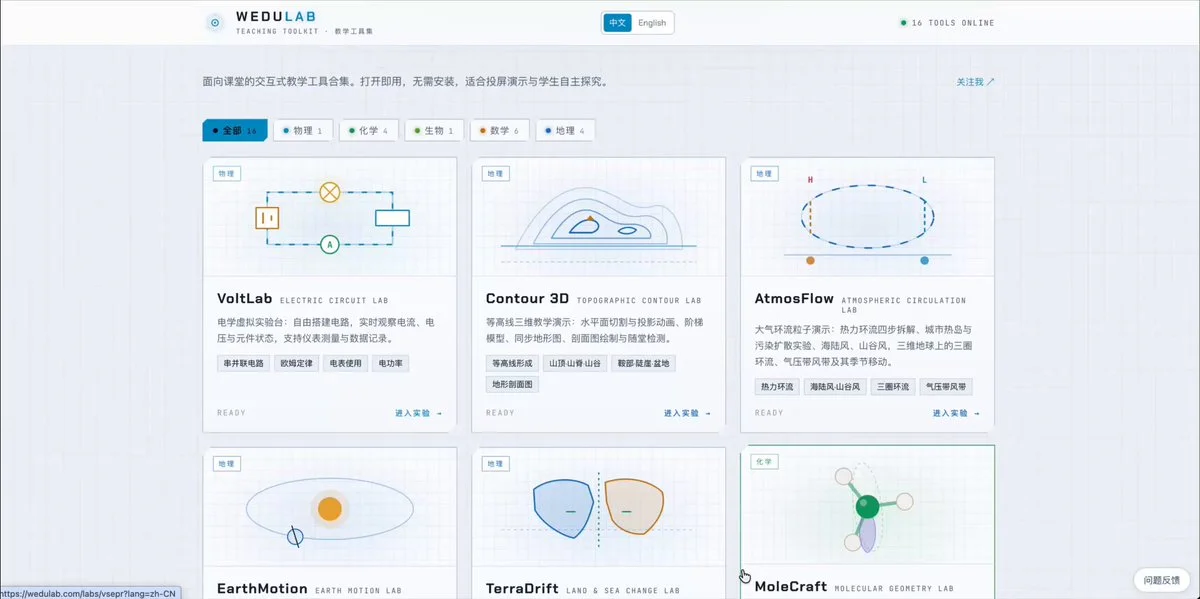
WeduLab 免费教学实验平台:物理地理生物化学数学三维演示合集 视频封面
🔥 发现一个神仙级的「交互式教学工具库」! 告别无聊单调的 PPT,不用安装任何软件,打开网页直接用。 超级适合课堂投屏演示,或者让学生自主探究。 强烈推荐推友 WY @akokoi1 开发的这个宝藏网站! 👇 目前网站的进度与亮点: ✅ 涵盖 4 大基础学科 ✅ 16 个高质量教学演示 ✅ 内容库还在持续更新增加中 ✅ 最良心的是:所有演示【完全免费】查看 🔗 老师们、演讲者们,建议立刻收藏并体验: https://wedulab.com/
10-09 11:38
#Web #设计
Iris Reads 照片配色工具怎么用?实测颜色占比,在线提取配色方案教程 视频封面
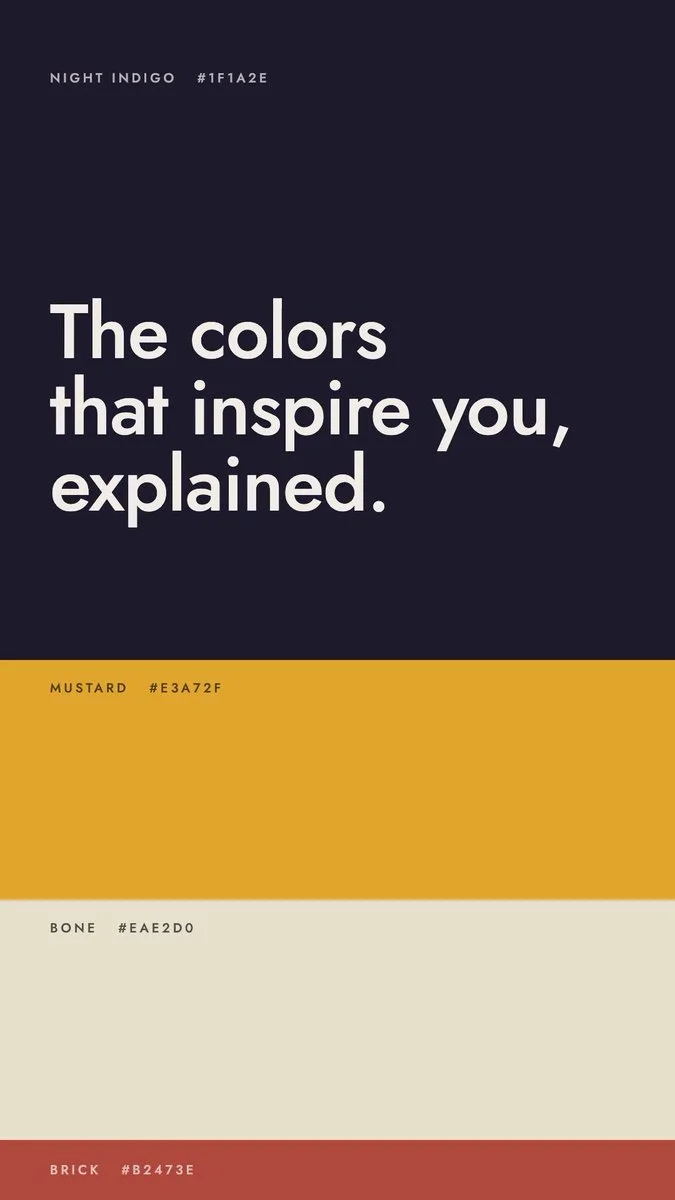
我们一直以来对调色板的使用方式都错了 当然,我们可以识别图像中的十六进制代码,但我们应该更深入地探索 所以我刚刚推出了一款应用来解决这个问题 现在就在 https://irisreads.app
10-09 11:20
#设计
Shubham Singh Shubham Singh 2026年10月09日 11:20
Pixel Wave 像素波浪动画怎么用?SwiftUI Canvas 实现,iOS 动画组件下载教程 视频封面
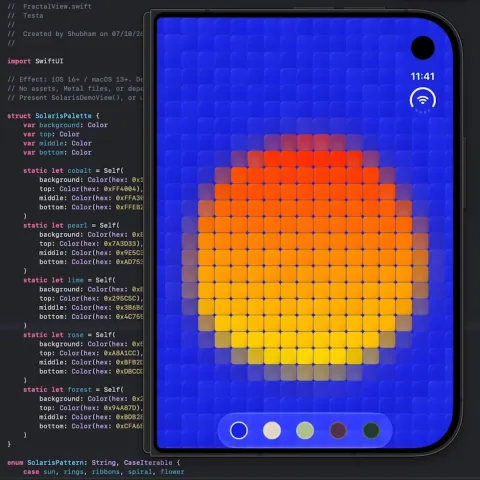
用 #SwiftUI + Canvas 打造了这个像素波浪效果。 当波浪穿过时,每个方块都会抬起,让整个效果出奇地流畅。 在这里试试并体验一下,获取 SwiftUI 代码: https://www.withanimation.app/library/pixel-wave https://t.co/qY6k6tfsX8
8 · 周四
10-08 23:05
#Web
hextaui 状态块是什么?引用展示加微交互,AI 产品界面组件下载 视频封面
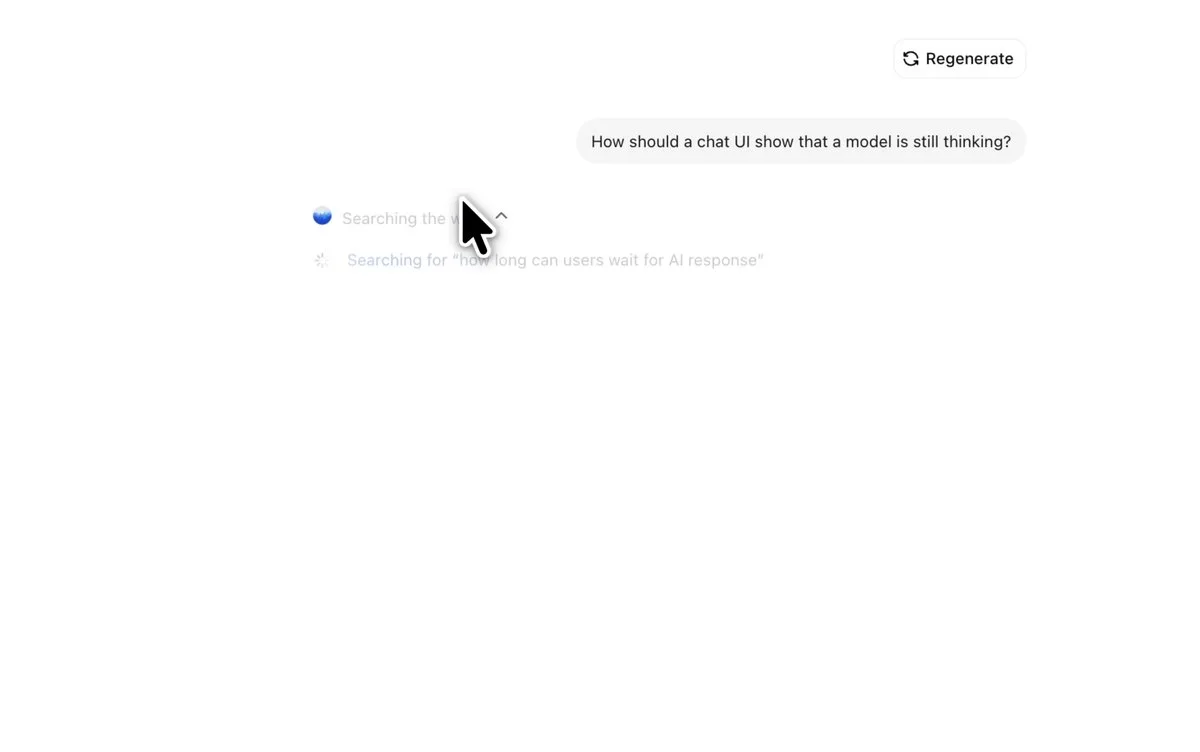
来自 hextaui 的 AI 思维状态块。 - 包括引用 - 微交互 - 即用型 https://hextaui.com/blocks
10-08 22:40
#Github
Denzii 🕊️ Denzii 🕊️ 2026年10月08日 22:40
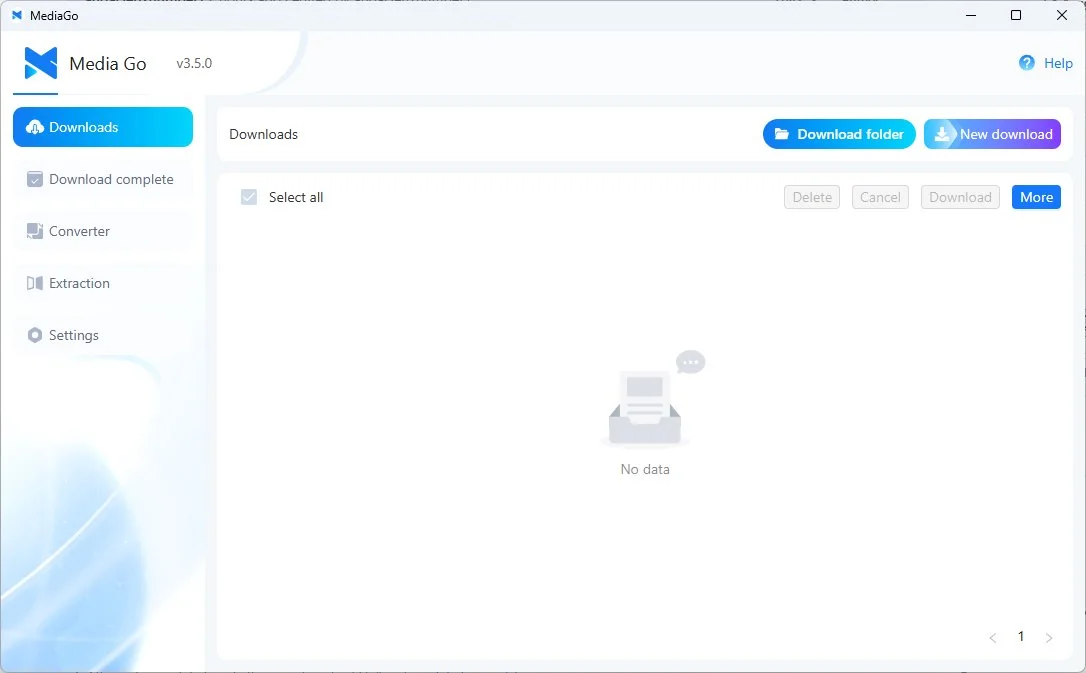
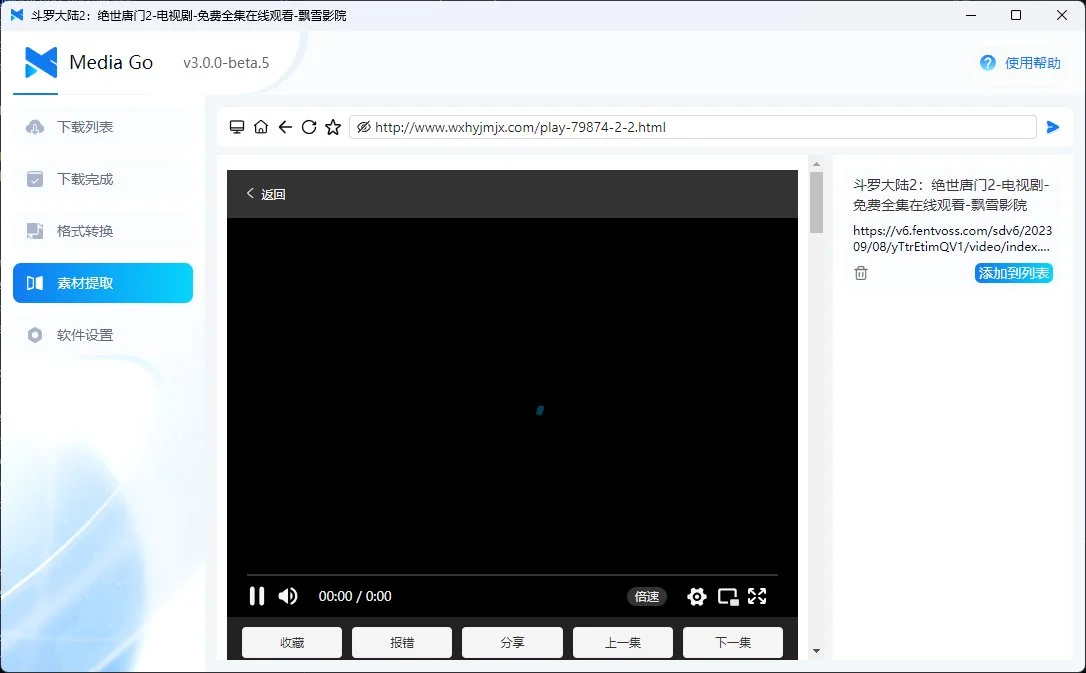
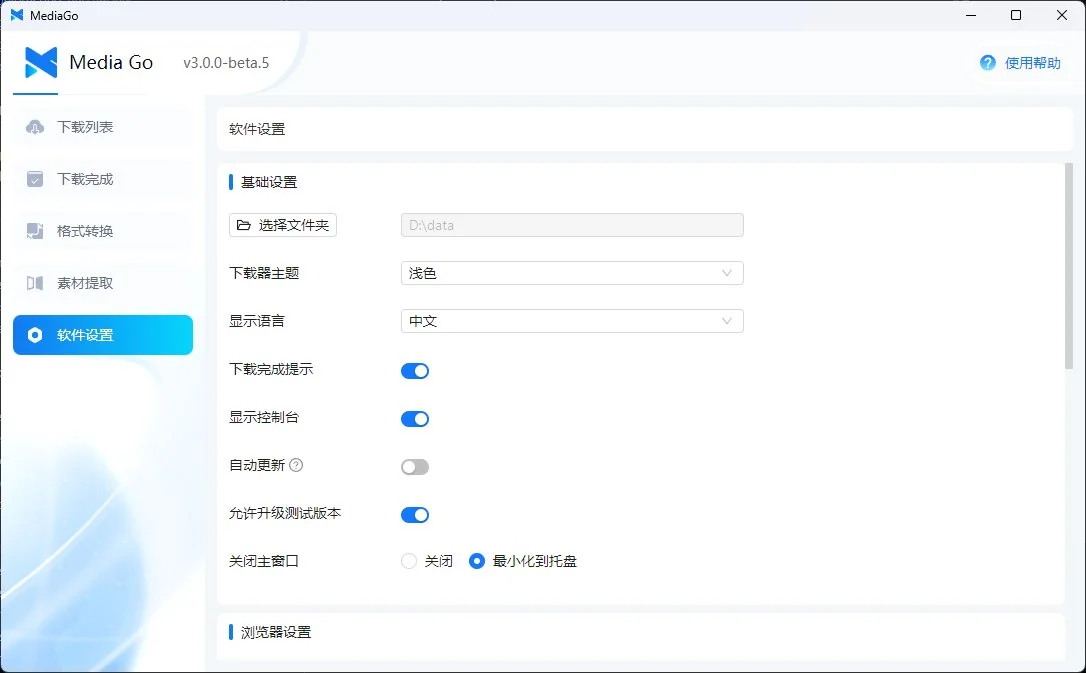
后端重写、启动更快、占用资源更少的全平台视频下载神器更新上线啦!⏬🔥 你以为下载视频难在下载,其实难在找到真正的地址。工具对了,点一下就行;工具不对,折腾一晚上。🤦‍♂️ GitHub 上 9.2K 星的 MediaGo 值得拥有!👇 ✅ 内置嗅探,点开页面就能抓视频,不用抓包 ✅ YouTube、B站、Twitter等1000+网站全支持 ✅ AI助手说句话就帮你下载,也能接HTTP API ✅ 桌面端+Docker,手机平板都能连 🔗 https://github.com/mediago-dev/mediago 经常存视频、做素材的赶紧收,别再跟什么 m3u8较劲了!🙄 #开源工具 #视频下载
10-08 22:33
#Mac
Loom 录屏工具怎么用?视频消息加 AI 提示,异步沟通工具下载与上手教程 视频封面
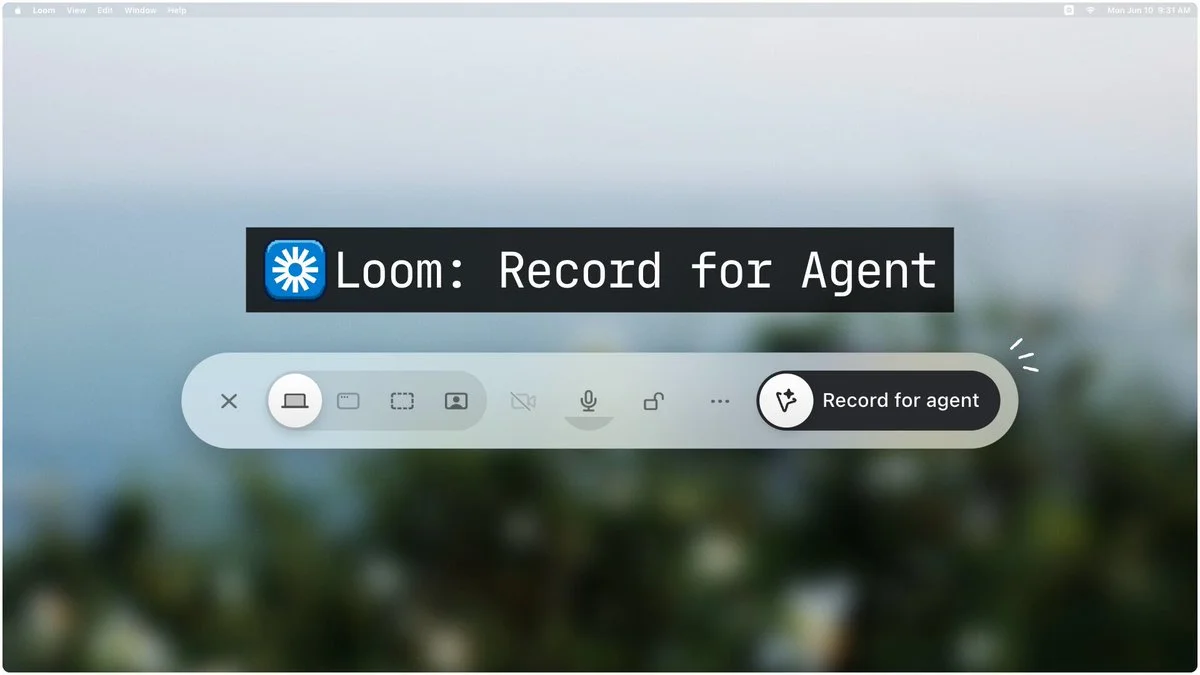
我很高兴与大家分享新的@loom 已经推出!由 @zachwaugh @rickmesser 和团队精心打造,其中包括我开发的一项新功能,可以让您通过视频进行提示!如果您尝试一下,很想听听您的想法:https://www.atlassian.com/software/loom
7 · 周三
10-07 19:04
#Github
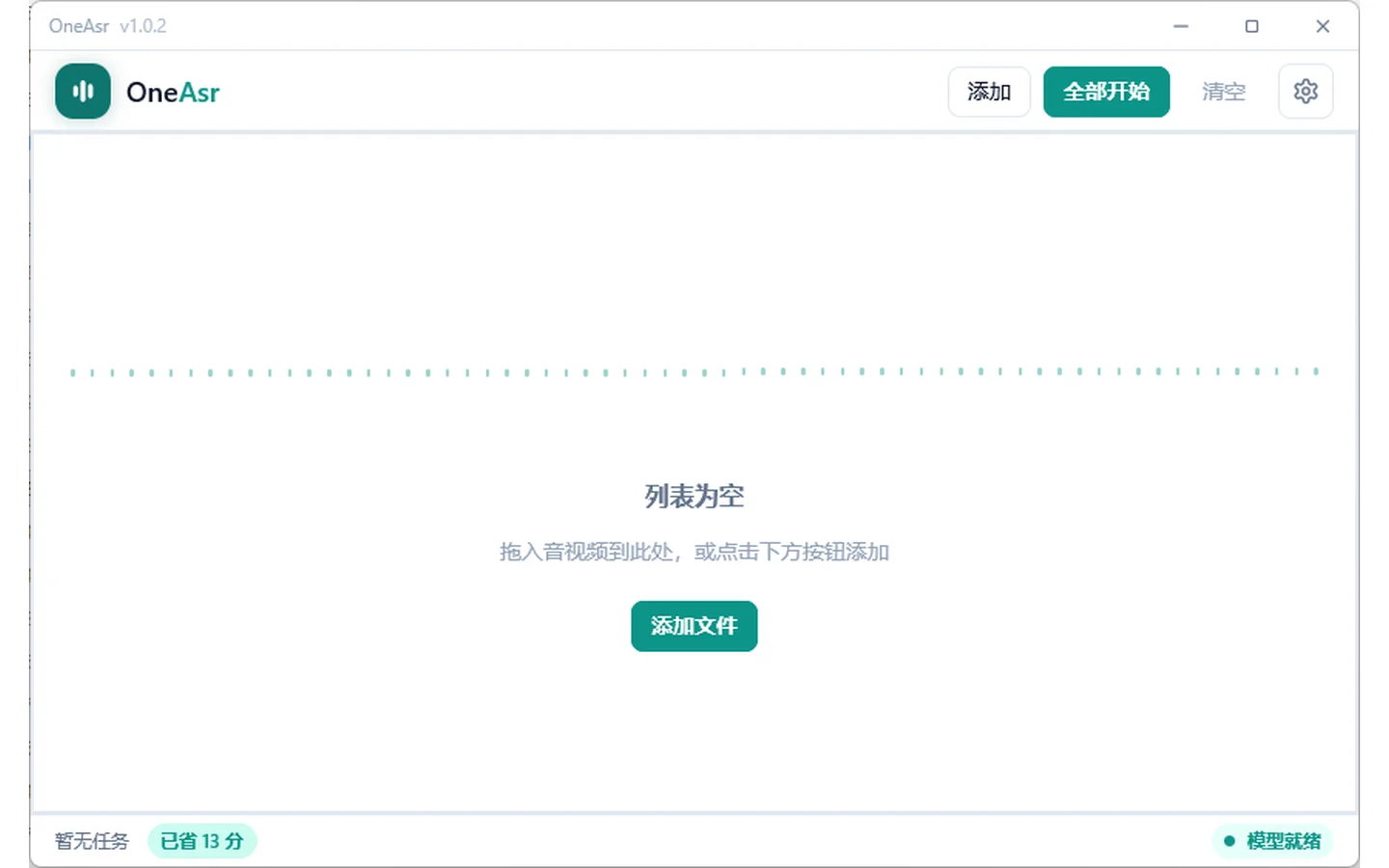
OneAsr 是本地离线批量音视频转 SRT/TXT 字幕的开源工具,基于 Qwen3-ASR 加 ForcedAligner 词级对齐,支持 11 种语言和人声分离,Windows/Linux/macOS 都有包,模型从 ModelScope 下好后断网也能跑,GPU 加速 CPU 兜底,不上传云端不按分钟计费,适合访谈会议和内部素材转字幕。 https://www.jamecling.com/archives/7337
10-07 18:59
#Github
qiaomu-codex-imagegen 把 Codex 内置生图能力接成 MCP 服务、命令行和 Agent Skill,让 Claude Code、Cursor 等任何 Agent 都能调;出图前先给四个机制不同的设计方向供选择,内置 24 类模板 48 个预设和 20 位 Mondo 海报设计师风格,带防编造规则和场景安全区,支持小红书、视频封面、公众号头图、电影海报等比例。 https://www.jamecling.com/archives/7320
10-07 14:03
#Github
🏝️ 如果你正打算尝试 TanStack Start 构建全栈应用,推荐看看开源全栈样板:Cove Stack(原名 TanStarter,GitHub 已收获 1.3k+ Star)。 它把目前现代前端与轻量全栈生态中最顺手的一套技术栈做了深度整合,非常适合用作全栈原型开发或轻量级 SaaS 起步模板: 🛠️ 核心技术栈亮点: 应用骨架:React + TanStack Start + TanStack Router + TanStack Query,拥抱类型安全路由与服务端函数。 构建与运行时:由 Vite Plus (vp) 与 Nitro 驱动,兼顾本地极速构建体验与多平台无缝部署(支持 Vercel、Netlify、Node 等)。 组件与样式:Tailwind CSS + shadcn/ui + Base UI,内置深浅色主题切换 Provider 与开箱即用的 UI 规范。 数据库与鉴权:Drizzle ORM + PostgreSQL,搭配开发体验优秀的 Better Auth,并附带了鉴权服务端中间件与 Schema 生成脚本。 现代工程化实践: • 引入 Varlock 通过 .env.schema 实现严格的环境变量类型生成与加载校验。 • 接入 evlog 统一输出标准结构化请求日志。 • 采用 Oxfmt 与 Oxlint 替换传统 ESLint/Prettier,代码检查速度大幅提升。 • 配套 Vitest 与 Playwright 测试骨架。 🚀 快速上手:终端直接运行即可交互式初始化: pnpm create cove 根据 .env.schema 完善配置后,依次执行 vpr env:load、vpr db generate 与 vpr dev 即可快速拉起本地开发服务。项目采用 Unlicense 协议完全开源,无论是个人学习还是商业二开都没有代码版权负担。 https://github.com/mugnavo/cove
10-07 13:12
#提示词
Laraib Fatima‎ Laraib Fatima‎ 2026年10月07日 13:12
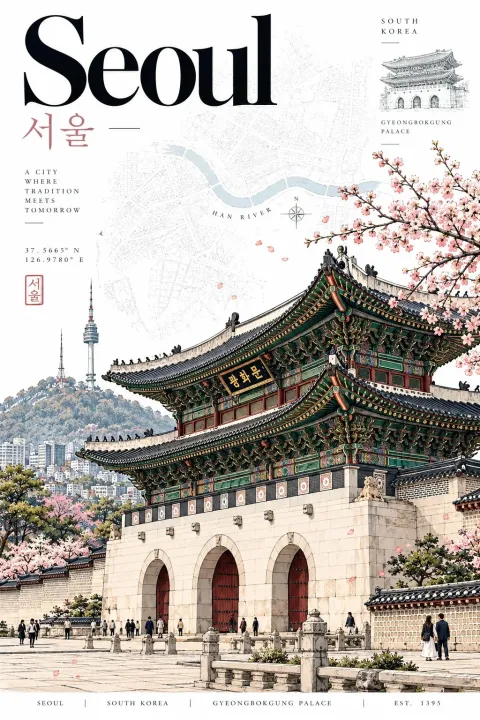
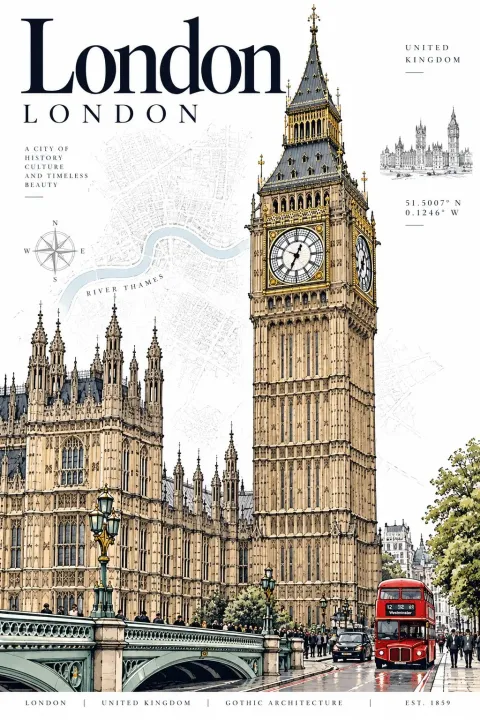
GPT image 2 on chatgpt Prompt: DESTINATION: [CITY / DESTINATION] COUNTRY: [COUNTRY] Create a sophisticated vertical 2:3 premium architectural travel postcard for [DESTINATION], [COUNTRY]. CORE STYLE Use the visual language of a high-end contemporary architectural travel poster combined with refined vintage editorial illustration. The design should feel: elegant cultured timeless architectural collectible premium museum-shop quality Combine extremely detailed architectural pen-and-ink illustration, delicate graphite linework, restrained watercolor-style flat color, archival cartographic graphics, elegant editorial typography, and generous white space. Do NOT make it look like a generic tourist poster. MAIN ARCHITECTURAL HERO Select ONE iconic and instantly recognizable architectural landmark strongly associated with [DESTINATION]. Examples can include: historic monument palace cathedral mosque temple tower bridge government building famous street façade traditional architectural landmark modern architectural icon The selected landmark must be the dominant visual subject. Show it from a believable three-quarter or slightly dramatic architectural perspective. Maintain accurate architectural proportions and recognizable structural details. Do not combine multiple major landmarks into one main illustration. ILLUSTRATION STYLE Render the main landmark using exceptionally fine black or dark graphite ink lines. Include: detailed architectural hatching precise windows doors columns roofs arches ornaments façade details realistic structural geometry subtle hand-drawn imperfections Keep the architecture primarily as detailed line art with selective flat color. Use refined illustrative detailing rather than photorealistic rendering. COLOR PALETTE Use mostly white space with only 2–4 sophisticated destination-specific colors. Choose colors naturally associated with [DESTINATION] or the landmark. Examples: muted architectural stone tones traditional local colors restrained blue muted green terracotta burgundy soft red architectural gold subtle natural tones Colors should be elegant and slightly muted. Avoid: neon colors excessive saturation gradients glossy effects muddy sepia excessive beige photorealistic color grading BACKGROUND Use a clean pure white background. Behind the architecture, add extremely subtle archival graphic elements such as: faint city map street plan river outline coordinates contour lines architectural diagram compass grid lines local-language annotations minimal geographical markings These elements must remain secondary and lightly faded. Do not allow the background map to overpower the main architecture. COMPOSITION Use a vertical 2:3 editorial composition. The main landmark should occupy approximately 60–75% of the artwork. Create generous negative space around the typography and architectural subject. Use an asymmetric premium editorial layout. The composition should feel carefully designed rather than centered like a basic tourist souvenir. Tasteful cropping is allowed when it creates a stronger architectural composition. TYPOGRAPHY At the top or upper-left area, display: [DESTINATION] Use large elegant high-contrast editorial serif typography inspired by premium architecture magazines and museum catalogues. Below it, optionally include: [LOCAL NAME] using the authentic local writing system of the destination. For example: Seoul 서울 London London Tokyo 東京 Paris Paris Use restrained typography with generous letter spacing. Do not use giant decorative typography that overwhelms the architecture. SECONDARY INFORMATION Include a small elegant information block containing destination-specific details such as: [SHORT DESTINATION DESCRIPTION] [COORDINATES] [LOCAL NAME] [COUNTRY] Use tiny refined typography with generous spacing. Optional subtle elements: compass small architectural sketch miniature landmark drawing local-language stamp-like mark faint map label Keep all secondary elements minimal. ARCHIVAL MAP ELEMENT Include a very subtle map or street-plan layer related specifically to [DESTINATION]. If the destination has a recognizable river, coastline, mountain, historic district, or urban grid, integrate it naturally into the background. Add a small understated geographical label where appropriate. Do not create a cluttered map. CONTEXTUAL DETAILS Add only a few tiny environmental elements when they naturally belong to the location: pedestrians bicycles trees street lamps local vehicles benches small street details birds These elements should primarily establish scale and atmosphere. Do not turn the image into a busy city scene. DESTINATION AUTHENTICITY Make the architecture, typography, environmental details, colors, map elements, and small contextual objects culturally and geographically appropriate to [DESTINATION], [COUNTRY]. Avoid generic architecture that could belong to another city. The landmark must immediately communicate the destination. VISUAL HIERARCHY Priority order: Main architectural landmark Destination name Supporting map / archival graphics Local-language name Small contextual details Coordinates and information strip Everything should support the main landmark. BOTTOM INFORMATION STRIP At the bottom, add a refined museum-catalogue-style information strip: [DESTINATION] | [COUNTRY] | [ARCHITECTURAL STYLE] | EST. [YEAR] Keep it small, elegant, evenly spaced, and understated. If the landmark's construction date is uncertain, use an appropriate historical date or omit the year rather than inventing information. MOOD Quiet urban sophistication. Cultural authenticity. Architectural heritage. Modern editorial design. Historical character combined with contemporary graphic design. The final artwork should feel like a premium collectible architectural print purchased from a museum design shop. AVOID No landmark collage. No fake architecture. No random buildings. No generic tourist-poster aesthetic. No cartoon style. No 3D rendering. No glossy photorealism. No excessive vintage filters. No heavy sepia. No fake passport stamps. No excessive decorative elements. No clutter. No giant unnecessary text. No random flags. No inaccurate cultural symbols. No distorted architecture. No unrealistic perspective. No excessive gradients. No excessive beige. FINAL GOAL Create a highly detailed, sophisticated, timeless architectural travel postcard that could work consistently for ANY city or country while maintaining the same premium visual identity. Only change the destination-specific elements such as: [DESTINATION] [COUNTRY] [ICONIC LANDMARK] [LOCAL NAME] [ARCHITECTURAL STYLE] [COORDINATES] [ESTABLISHED / CONSTRUCTION YEAR] [DESTINATION-SPECIFIC COLORS] [MAP / GEOGRAPHICAL ELEMENTS] Everything else should maintain the same refined editorial postcard design language.
5 · 周一
10-05 21:53
#Github
text-to-cad 接入Codex插件 让AI Agent直接输出可生产CAD文件 视频封面
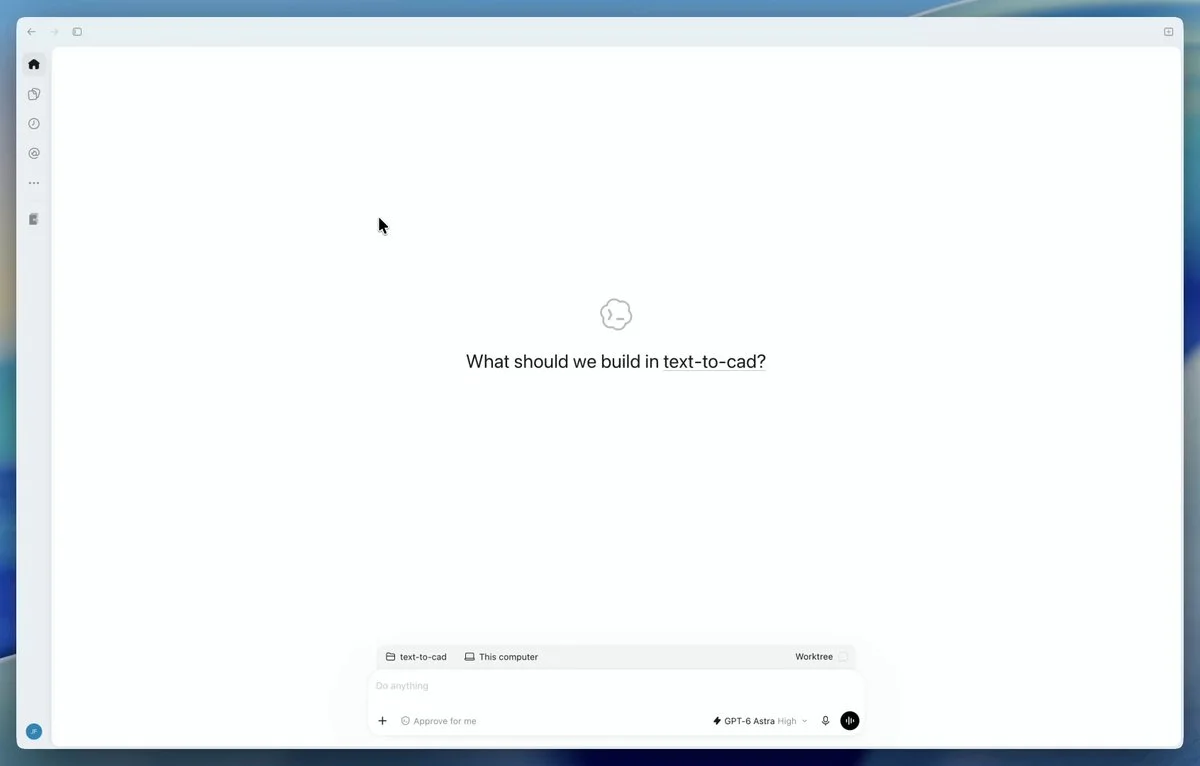
Codex 现在连 CAD 都能直接做了。⚙️ 开源插件 text-to-cad 已上线 Codex: 自然语言生成 3D 模型 支持 STEP / STL / 3MF / GLB 自动做 3D 打印、CNC、钣金、注塑 DFM 还能连接 Bambu、SendCutSend 等制造流程 而且 100% 开源,本地运行。 这意味着 Coding Agent 正从“写代码”,开始进入真实制造。 以前 Prompt 的终点是软件。 现在可能直接是一份能拿去生产的 CAD 文件。 https://github.com/earthtojake/text-to-cad
9月
2026
29 · 周二
09-29 19:42
#Github
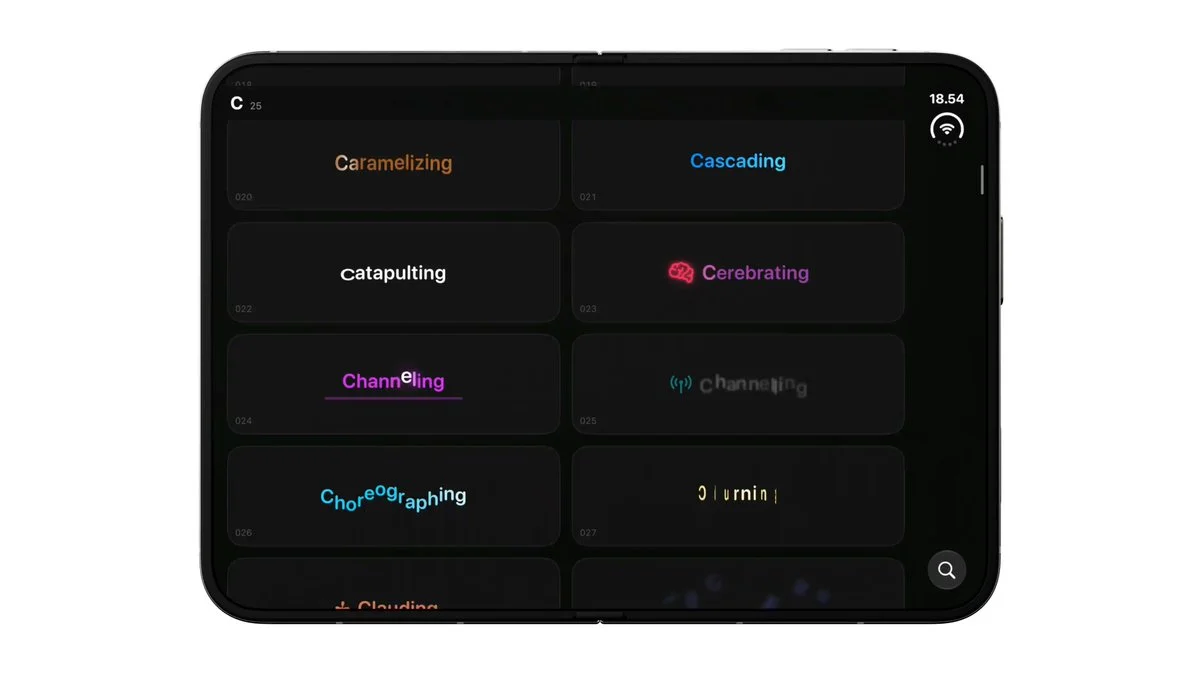
SwiftUI 文本动画合集推荐:184 个 Agent 思考动效,MIT 免费可商用下载 视频封面
使用 Opus 5.5 制作的 184 个精美且独特的 SwiftUI 文本动画。它们非常适合任何 iOS、macOS、visionOS 或 watchOS 应用。⭐️ 给仓库点星,获取 Xcode 项目,并将这些动画用于你的使用场景。👇 https://github.com/amosgyamfi/SwiftUI-Agent-Thinking-Text-Animations
09-29 17:54
#Github #设计
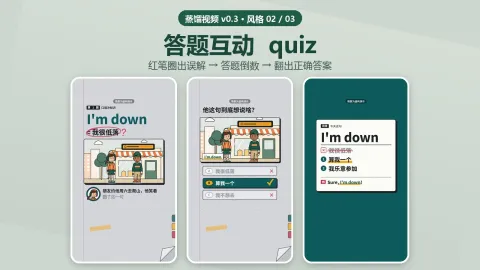
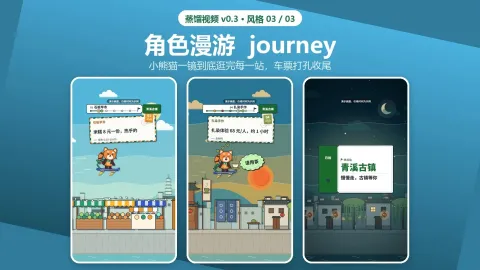
杰哥AI落地日记 杰哥AI落地日记 2026年09月29日 17:54
蒸馏视频 v0.3 开源了🎬 让 DeepSeek 这类便宜模型也能做出好看的竖版宣传片:模型只写分镜,画面、配乐、合规检查交给现成组件,一条命令出片。 这版支持 DeepSeek Harness 插件,装上就能在 dsh 里直接出片。视频是三种风格的实际渲染👇 https://github.com/Finderchangchang/promo-video-skill
09-29 17:45
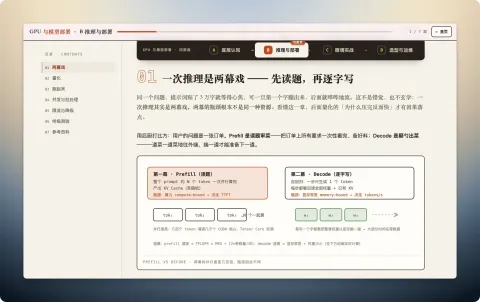
#Web
今天给大家推荐一个网站,作者是 @limbopeng https://dev.limbo101.win/ 网站是 limbo 写的一系列教程,这才是教程该有的样子,每个教程都有详细的文字介绍,配上可视化可交互的图示讲解,深入浅出。他的教程范围很广,包括 Pi、JEV、DSH、GPU 和 LLM,也都是我感兴趣的领域。 之前我想了解下各种模型的各种参数怎么理解,本地部署的话要选择什么配置,TTFT跟什么因素有关,输出token速度跟什么因素有关,权重、精度、KV Cache、并发、上下文、带宽、Perfill、Decode等很多模糊的概念也都有了新的认识,现在自己也能手算各种参数各种配置了 😂 总之,非常推荐这个网站,一起学习,夯实基础 👊
09-29 11:00
#AI
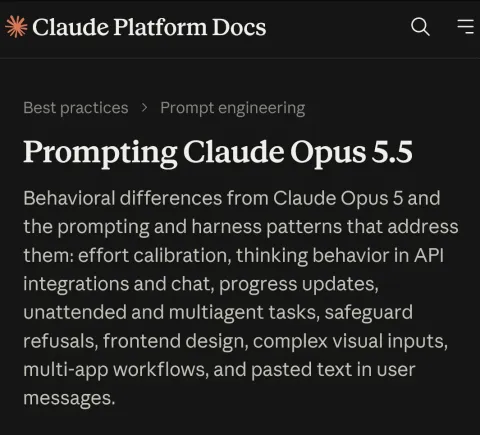
Claude Opus 5.5公布官方的Prompt指南了 几个要点: 1. 思考强度默认开medium即可 2. 注意这个模型不支持关闭思考 3. 长任务里,模型发进度消息不代表任务已经完成。 4. 可以在提示词里明确要求:事情没做完就继续做,不要只总结下一步。 5. 如果想让用户看到执行进度,需要正确接收和展示 progress updates。 6. 做跨邮件、文档、表格等多应用任务时,先把相关上下文找全再行动。 7. 多 Agent 任务可以给时间预算,让模型更积极并行处理。 8. 聊天场景里不用再写“请仔细思考”,可能只会增加延迟。 9. 用户粘贴进来的内容最好单独标记,避免把里面的文字误当成用户指令。 10. 模型看图能力更强了;复杂图表和技术图纸仍可以配合裁剪、放大等工具。 11. 做前端时,不要只说“不要 AI 味”,要明确写出不想要哪些具体设计风格。 13. 注意新的安全机制,尤其不要要求模型输出完整内部思考过程。
09-29 10:54
#分享
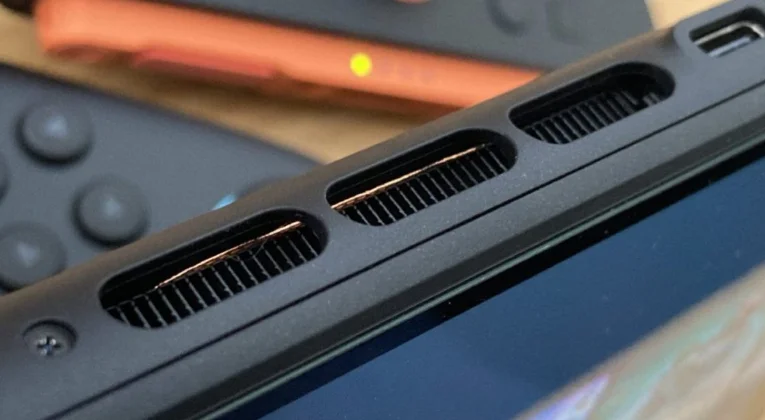
【底座模式Switch2有噪音还发热?一步步教你解决!】 不少玩家反馈,主机放在底座里待机时,风扇噪音巨大,摸起来机身发烫,甚至没有在运行游戏也会出现该现象。外媒nintenderos分享了Switch2底座发热、风扇噪音过大的分步解决办法。 这并不代表主机损坏,下面是对应的处理方案: 1.官方办法消除待机风扇噪音 如果底座待机时风扇持续轰鸣,大多是网络后台任务导致。任天堂官方支持页面说明,主机在待机状态下会后台处理网络数据。 解决操作:进入主机设置,找到互联网 / 待机模式选项,关闭「待机时保持有线网络连接」,主机待机就不会持续联网,风扇噪音即可停止。 2.不要把底座塞进狭小封闭空间,留出散热空间 待机噪音问题解决后,游玩时发热属于正常现象,但要保证通风。不要将底座塞进电视柜狭小凹槽、紧贴墙面,排出的热风会被重新吸入主机。底座四周预留空隙,保证空气流通,避免积热。 3.不用刻意完全关机,待机模式并无危害 很多玩家担心发热,选择每次游玩后彻底关机,其实不必牺牲快速开机的便利性,主机本身可以自行管理待机状态。 4.机身高温时不要立刻放入底座充电 高温会损伤电池。掌机长时间游玩之后机身发烫,不要马上插到底座充电,会叠加处理器高温与充电发热,影响电池寿命。 5.高温导致主机卡死,不要直接拔电源线 如果环境温度高、底座通风差,主机因过热画面冻结进行自我保护,不要慌张,严禁直接拔掉电源。强行断电有概率损坏设备、丢失存档,遇到该情况参考官方卡死处理教程。
23 · 周三
09-23 20:24
#提示词
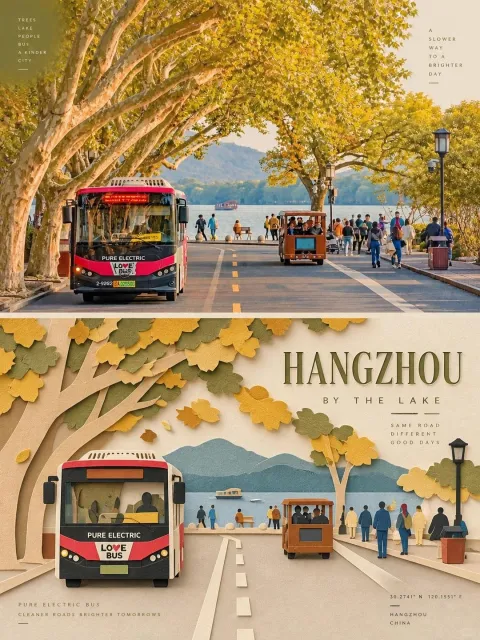
ChatGPT 上的 GPT image 2.0。 提示词。 为每一张上传的照片分别创建一张独立的编辑风格海报。不要制作拼贴。请分别处理和输出每一张照片。 采用严格的 3:4 竖版构图,水平分为两个完全相等的部分,各占画布的 50%。 上半部分——原始照片 保留原始照片。保持主体不变,同时保留其真实质感、自然光线和原始色彩氛围。仅应用微妙的编辑级色彩校正,以营造艺术杂志、独立出版物或展览摄影的精致质感。 为适应构图,你可以适度延伸天空、地面或周围环境背景,但不要拉伸、扭曲或改变主体。 下半部分——分层剪纸 / 纸艺再诠释 将照片中最具辨识度的主体、轮廓、姿态和空间关系重新诠释为极简的分层剪纸 / 纸艺构图。 以一个主要主体作为视觉锚点。不要机械地复刻每一个细节。相反,通过折叠、切割、分层和重叠来重建关键轮廓、比例和结构。 仅将少量辅助环境元素转化为前景、中景和背景纸层。利用比例对比、留白、干净对齐和前后分层,使主体一眼可辨,同时保持克制的编辑式构图。 色彩与材质 从原始照片中提取最具特色和辨识度的颜色,然后将其简化为有限且和谐的纸艺调色板。 使用暖象牙色或浅色纸张作为基底,辅以少量更强烈的强调色、更深的结构色调、柔和的过渡层颜色,以及非常有限的高光。 材质应类似高品质哑光卡纸,带有细微可见的纸张纤维、干净的切割边缘,以及自然漫射光下柔和的接触阴影。强调真实手工纸艺的触感品质。 避免光泽塑料般的 3D 效果、廉价手工纸美学、霓虹色,以及过度饱和或复杂的渐变。 编辑式排版系统 添加精致的编辑式排版系统。根据主体的身份、地点、动作、材质、情感或象征意义,创作一个简短的主标题。 添加 2–4 组较小的辅助文字。这些可以包括物体名称、地点信息、数字、序列标记、类似坐标的数字、方向词、状态词、材质描述、分类标签,或一句非常简短的诗意短语。 不要使用任何年份或日期。 主标题应传达情感与身份,而较小文字应增添节奏、结构与精致感。 排版整合 将排版自然融入构图,使其与剪纸形态互动。沿纸层边缘、主体轮廓、几何轴线或留白区域安排文字。 使用横排或竖排、旋转文字、宽松字距、边缘对齐、角落放置、横截面布局、嵌入式排版,或部分重叠文字。 主标题可以带有微妙的剪纸或折纸质感,而辅助文字应保持纤细、现代、克制且精准。 最终结果应显得优雅、富有触感、平衡、具有艺术指导感,并鲜明体现编辑风格。
09-23 18:35
#Web
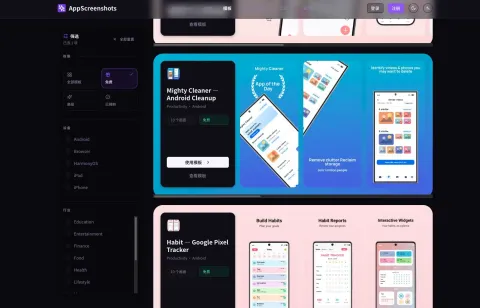
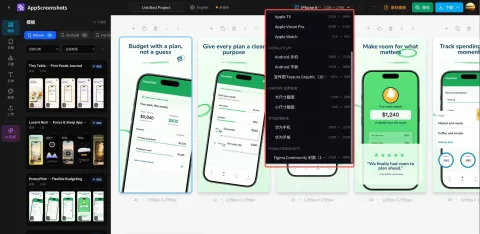
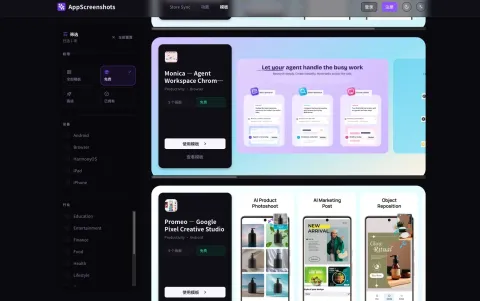
群里一个大佬做了一个 App 商店 的站 👉 https://appscreenshots.net/zh 1. 支持众多平台:appstore、google商店、华为鸿蒙、手表、Chrome 商店等等 2. 免费的模板就足够精美了,另外有更多付费精美模板 3. 支持多尺寸多语言批量自动提交内容上架,后面再补个MCP和skill,让codex 操作创建截图 4.如果你正在被App上架 宣传图、多语言 搞得头大,可以来试试,极大提升你的上架效率
22 · 周二
09-22 20:43
#Github
微信流 WeChatBridge 开源免费,微信记录合并转发到 Codex 下载体验 视频封面
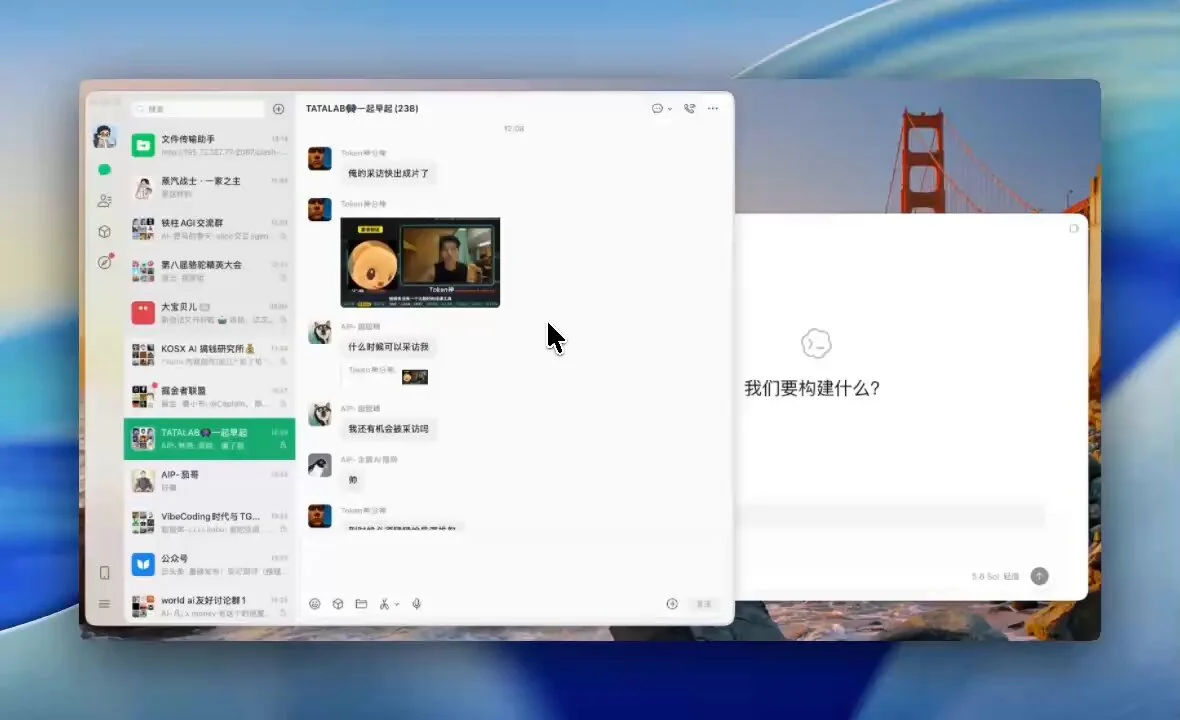
怎么打破微信信息孤岛? 今天在 Github 的主页信息流里看到了 @canghe 苍何老师开源了一个新的项目,叫“微信流”,抢跑官宣直接出个测评🤭 微信在 v4.1.13 后支持了聊天记录合并打包为一个 ZIP 文件转发给其他应用,目前只面向支持“Share Extension” 的已安装应用 “微信流”支持配置多款常见的 AI Agent 的桌面端: Codex、Claude、豆包、千问办公、Workbuddy、Obsidian 等等 也支持复制到剪贴板、发送到任意应用 fork 以后在本地跑起来了,录制了一个从微信群选取聊天记录,合并转发到 Codex 分析的流程 在 Codex 分析 ZIP 里聊天记录的内容,视频后半段为 8X 速(Codex 真的太慢啦!) 跑起来以后发现有些样式问题,顺手修了一下提了 PR 项目仓库在这里⬇️ https://github.com/freestylefly/WeChatBridge